Hey there lovely!
Are you ready to dive into your stunning photo gallery? I'm here to guide you through the process of downloading your cherished memories! 🌟
Here's how you can do it:
STEP 1: Open up your Pixieset Gallery. You'll receive an email link once your photos are ready. Keep an eye out for it! 🔍
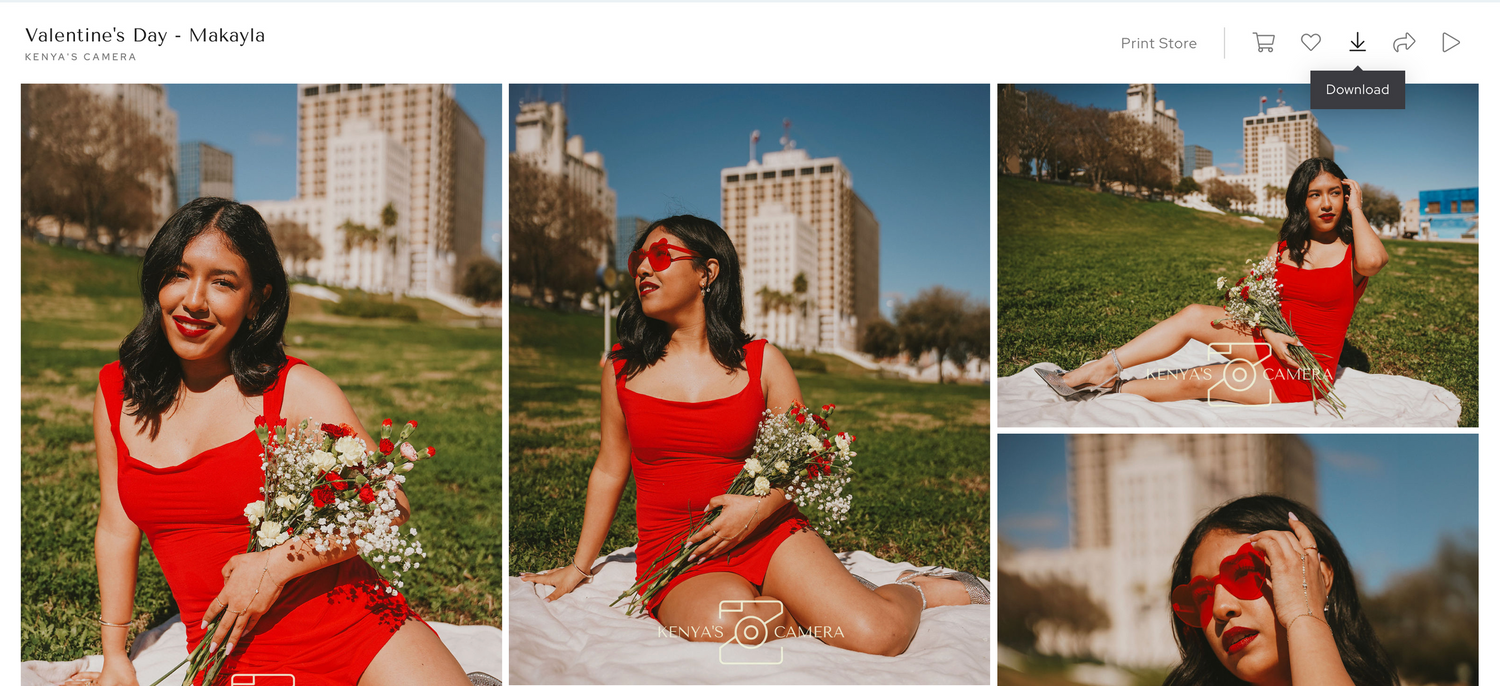
STEP 2: Look for the DOWNLOAD icon in the top right corner of the Gallery View. It's the one with the arrow pointing downwards. Give it a joyful click! 🎉
STEP 3: Enter your email address and/or download pin when prompted. Let's make sure you get those precious photos in your hands! 📥
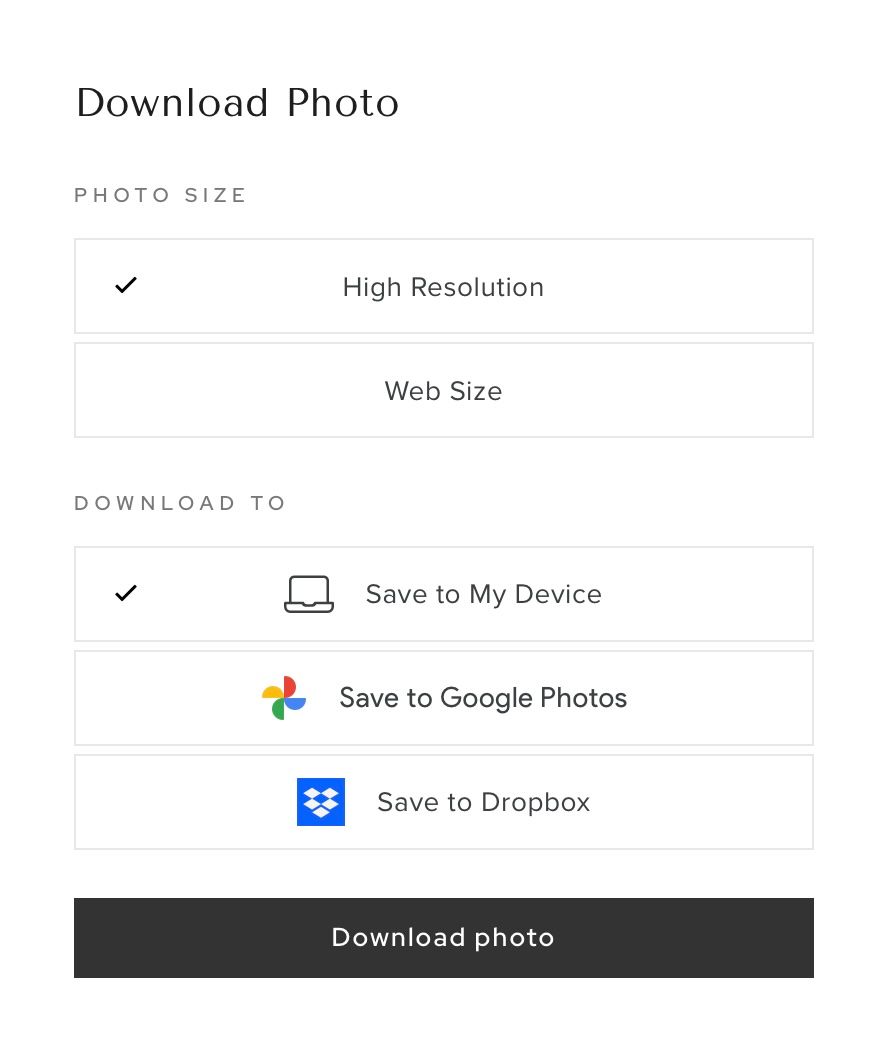
STEP 4: Now comes the fun part! You can also pick the download size and where you want to save them—whether it's on your Device, Dropbox, or Google Photos. Options, options, options!